Noctiluna
Keep your Mac awake · macOS 14 or later · Free
Your Mac falls asleep at the worst times. A big download stalls, a long export stops halfway, the screen goes dark in the middle of a presentation, or it nods off while you're just listening on a video call. Noctiluna keeps it awake.
It's a little moon in your menu bar. Click it and the stars come out, and your Mac stays awake. Click it again and your Mac sleeps like normal.
How it works
- Click the moon to turn it on or off.
- Two-finger click (or Control-click) the moon for every setting.
- Set a timer with Keep Awake For. The moon wanes as it counts down, from full to a thin sliver. When it goes dark, your Mac is free to sleep again.
- Let your apps decide with Keep Awake While App Is Open. Your Mac stays awake whenever one of those apps is open, or only while it's in front if you'd rather.
- Single Click Settings chooses what a click does: stay awake until you click again, or for 15 minutes up to 8 hours.
Common questions
What does Let Display Sleep do?
It lets your screen turn off on its normal schedule while the Mac itself keeps running, so downloads, builds and backups keep going. If your Mac is set to ask for a password after the display turns off, it will lock too. That's a macOS setting, and your tasks keep running behind the lock.
Does it keep my MacBook awake with the lid closed?
No. Closing the lid without an external display still puts a MacBook to sleep. Preventing that needs system-level access that App Store apps don't get.
Will it drain my battery?
Keeping a Mac awake uses more power than letting it sleep. Under On Battery you can have Noctiluna stop on its own below 10, 20, 30 or 50% charge.
How do I make it start when I log in?
Two-finger click the moon and turn on Open at Login.
Why the name?
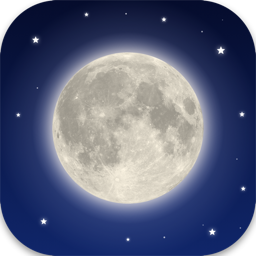
Noctiluna is Latin for "night moon," more or less. The moon in the app icon is real: it's made from NASA's map of the lunar surface.
Privacy
Noctiluna never connects to the internet and collects nothing. No ads, no accounts, no tracking. See the privacy details.
Contact
Something not working, or have a suggestion?
Email theman@roaringman.com — a human reads it.
Moon imagery: NASA's Scientific Visualization Studio, from the Lunar Reconnaissance Orbiter Camera (LROC) colour mosaic, Arizona State University.