 LAN Scanner & Diagnostics · macOS
Kitsune
A cunning network scanner that maps every device on your LAN, tells you which switch port each one is plugged into, and sniffs out the problems hiding in the wiring — then hands you a prioritized list of what to fix.
One-time setup on first launch
Kitsune's passive analysis — spanning tree, multicast, storm detection — reads raw frames from the macOS capture devices, which are administrator-only by default. On first run Kitsune offers to install a small helper that grants app access. You'll see one standard macOS password prompt.
You can decline. Device discovery, port scanning, SNMP switch mapping and latency all work without it. Nothing Kitsune finds ever leaves your Mac — there is no account, no telemetry and no analytics.
What Kitsune does
From a single scan to a full picture of your network's health.
Device discovery
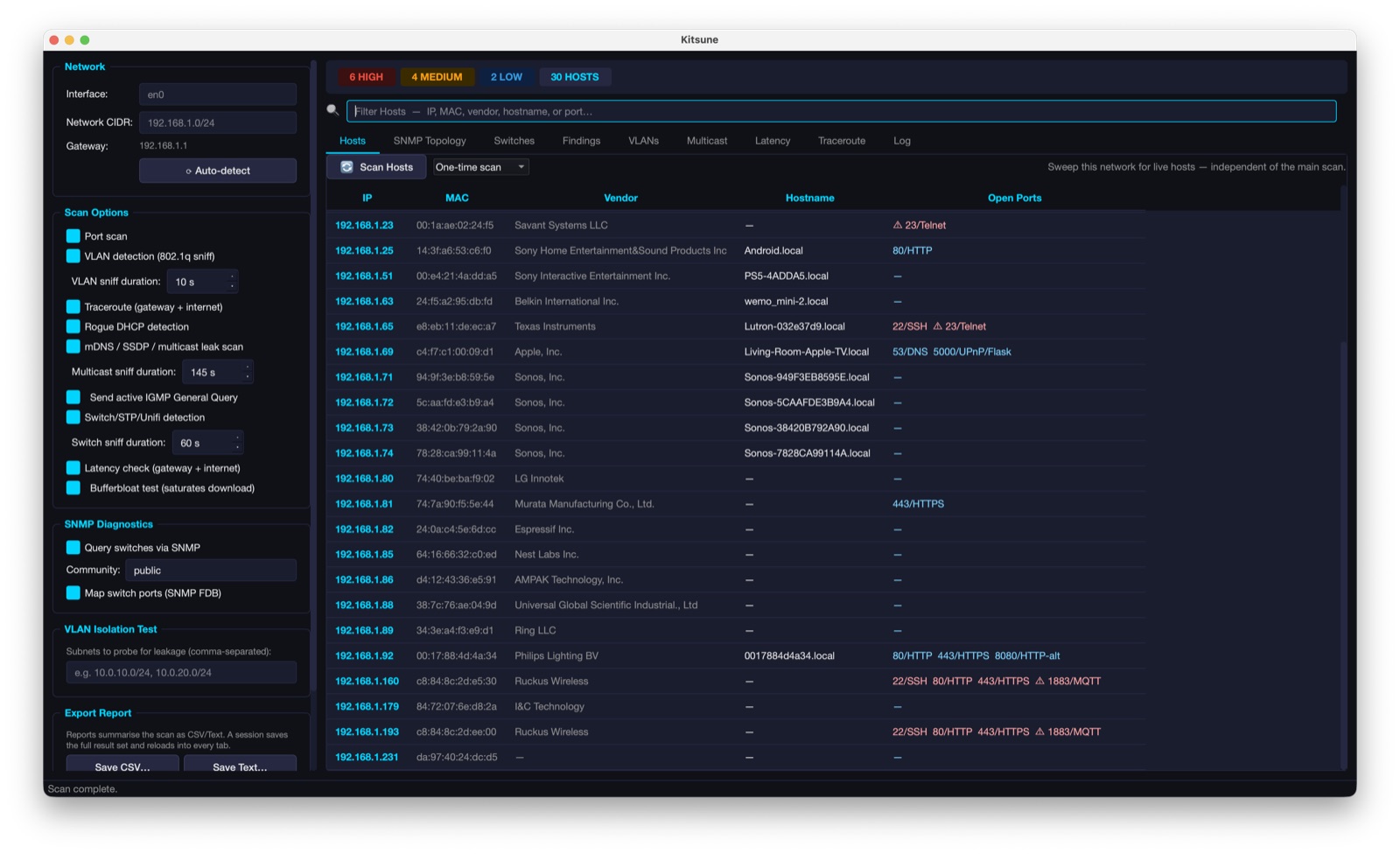
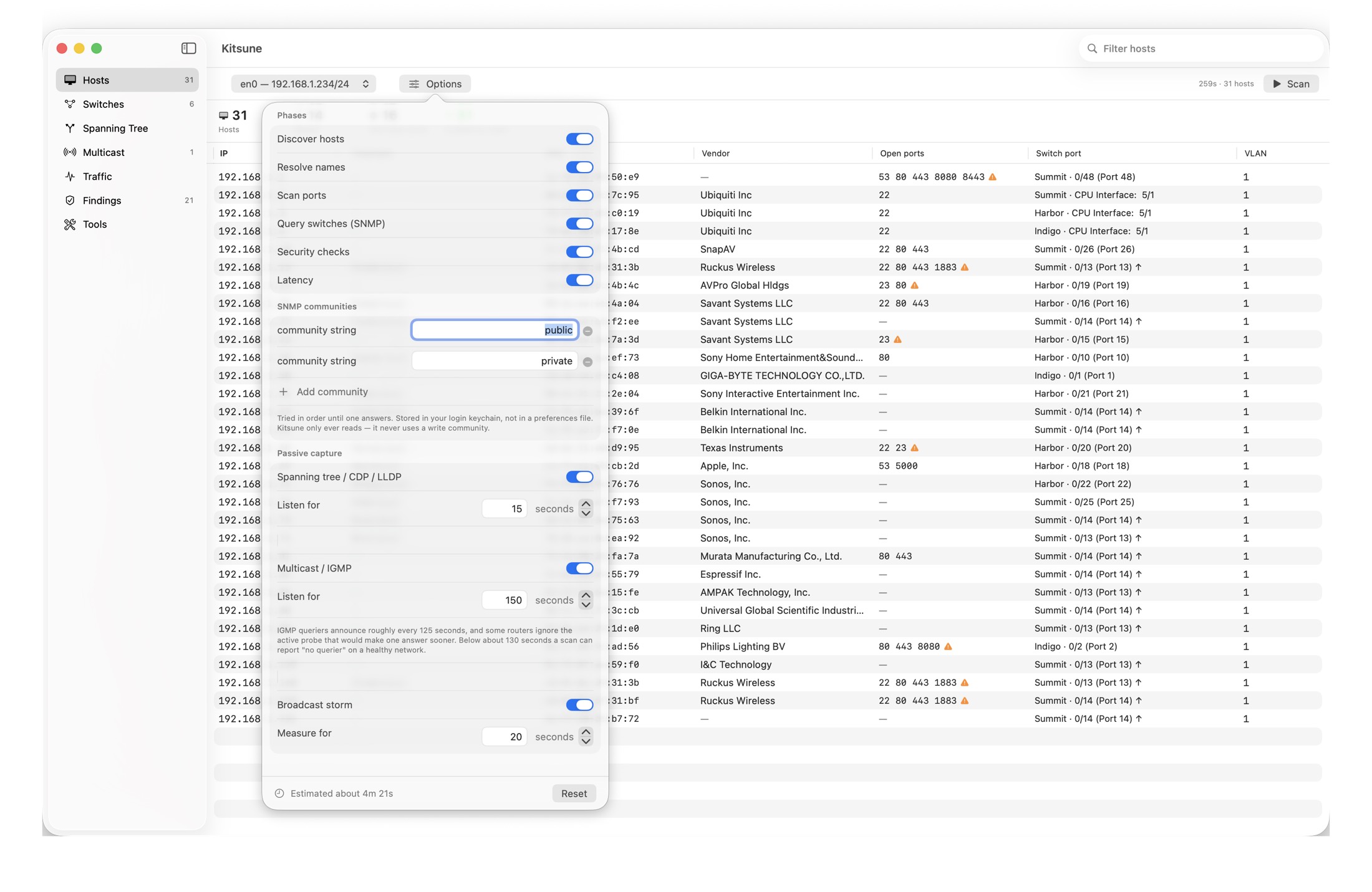
An ARP sweep finds everything on the segment in seconds, with names resolved through DNS, mDNS and NetBIOS, and vendors identified from a bundled IEEE registry database.
Which port is it on?
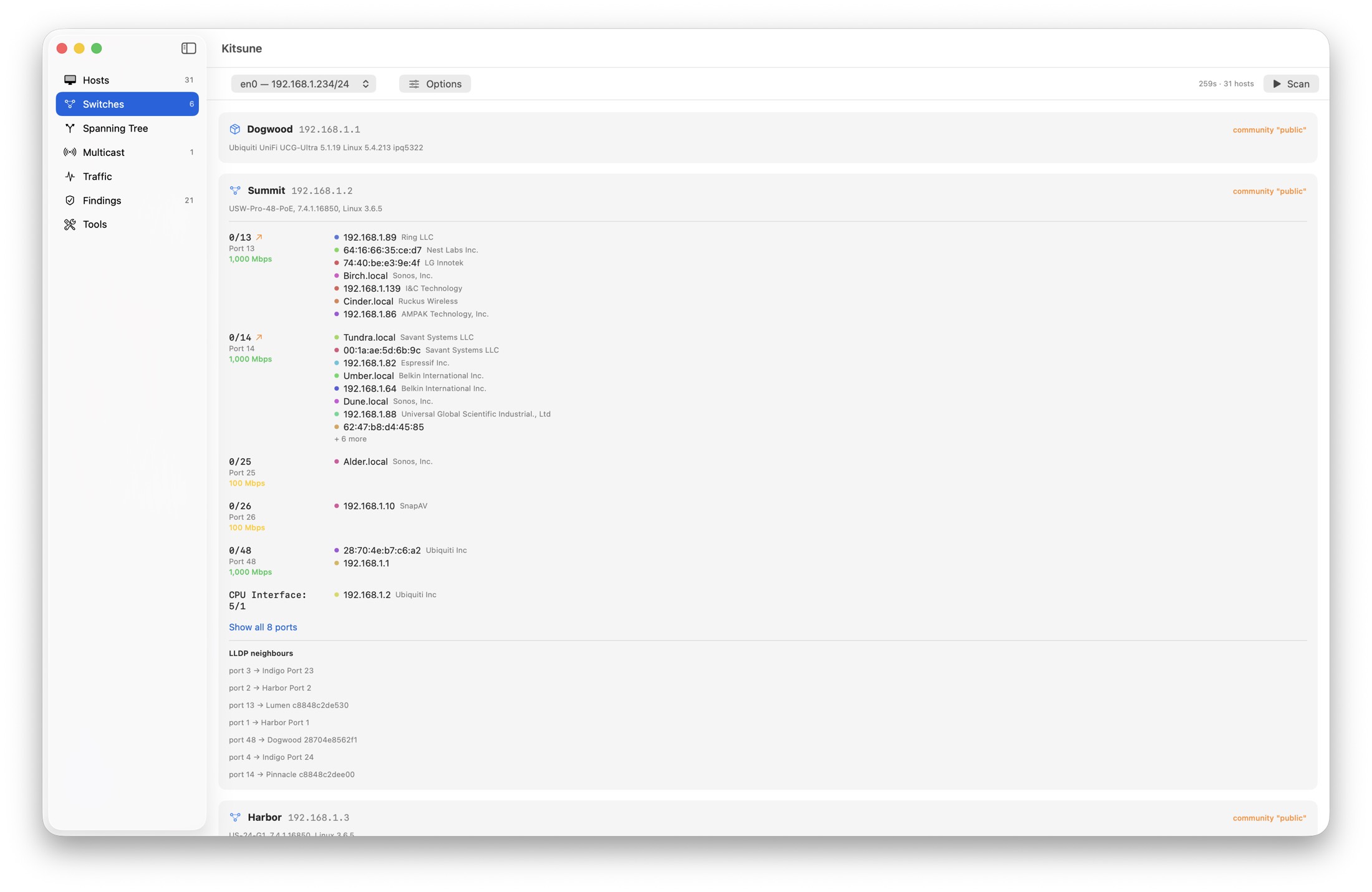
Kitsune reads your switches' forwarding databases over SNMP and maps every device to the physical port it's plugged into — with the installer's own port labels, link speeds, and uplinks detected automatically.
Port & service scan
A fully parallel connect scan maps open ports and flags risky exposed services — Telnet, unencrypted MQTT, stray admin HTTP — each with a plain-English fix.
Security findings
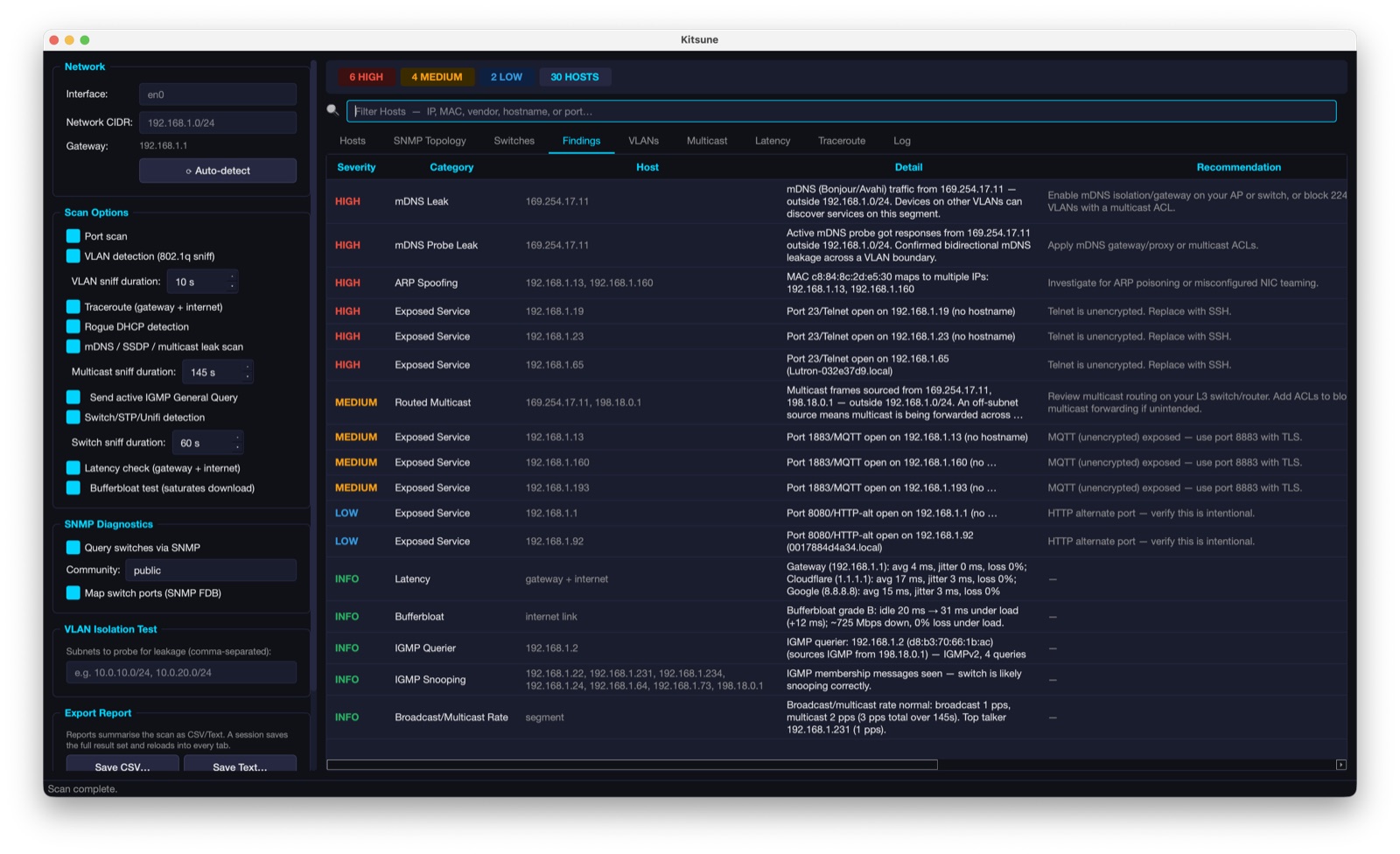
ARP conflicts, IP address collisions, rogue DHCP servers, default SNMP communities and multicast leaks — each rated HIGH / MEDIUM / LOW with the affected host and a recommendation.
Live multicast & IGMP
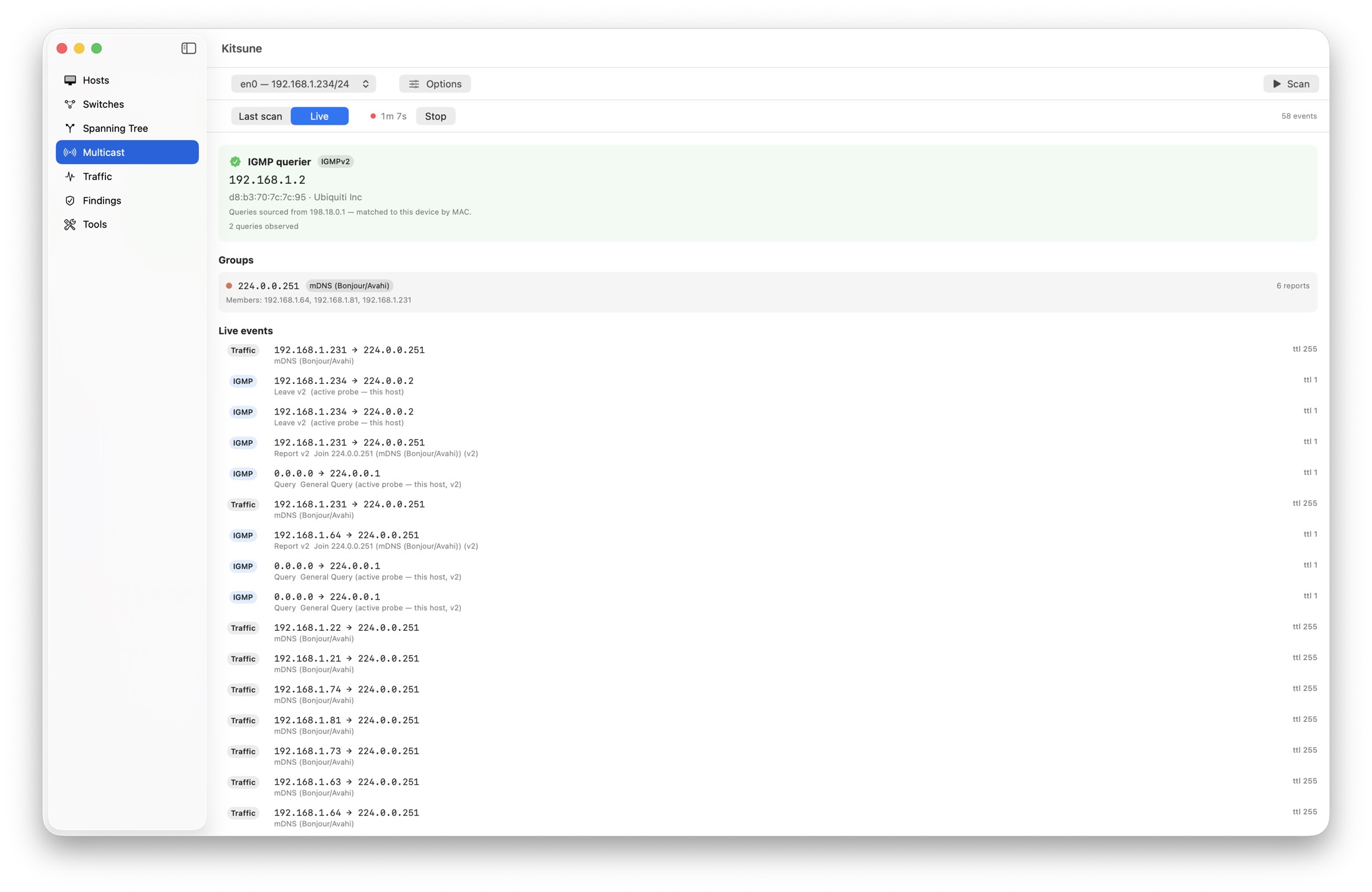
Watch membership change in real time: the querier, every group, who joined what, and leaks arriving from off-subnet. Kitsune actively probes so the querier reveals itself in seconds instead of minutes.
Spanning tree & storms
Passive STP, PVST+, CDP and LLDP discovery maps your bridges and root election per VLAN, while rate-based storm detection names the MAC that's flooding the segment.
A look inside
Real captures from a full Kitsune scan. Device names and hardware addresses have been scrambled for publication.
Built to be trusted with your network
A tool that reads your infrastructure should be boring about where the data goes.
Everything stays local
No account, no telemetry, no analytics. Scan results never leave your Mac. Kitsune's only automatic outbound request is a daily check for a newer version — it sends nothing about you, and you can switch it off in About.
Read-only by design
Kitsune never uses an SNMP write community and never changes a device's configuration. It reads, measures and reports.
No third-party code
Written from scratch in Swift against Apple's own frameworks. Nothing is bundled, so there is no supply chain to worry about — and the download is 4.8 MB.
What's new
Release notes for the current build.
1.4 — August 2026
The Multicast page now shows what's really there. On a network running IGMP snooping it could report a single group — always mDNS — while the switch's own list held nine. Two things were wrong, and a third hid them both. The capture left your Mac's network card filtering for it, so every group this Mac hadn't joined was discarded before Kitsune saw it. Beyond that, no capture can help: a switch running IGMP snooping forwards each group only to the ports that joined it, so most groups never reach the port you're listening on. That's snooping working, not a broken scan — and Kitsune now says so instead of leaving a one-line result looking like a failure.
Groups are now read from the switches themselves. Over SNMP, Kitsune walks the same multicast forwarding table your switch's web interface shows under IGMP Snooping, plus the IGMP cache on routers and L3 switches. Every group is labelled with where it came from — seen on the wire, read from a switch, joined by this Mac, or any combination — with the VLAN and ports for switch entries.
Router-port mode, for when you need the whole segment. A snooping switch decides what a port sees, and no capture technique changes that. Telling the switch there's a multicast router here does. Off by default, because a router port receives every multicast stream on the segment — on a network carrying AV-over-IP that is not a small number — and Kitsune withdraws the claim when the scan ends.
SNMP community strings are only saved if you ask. A community string is a shared secret, so nothing is stored unless you tick Remember these in my keychain; until then it's used for that session only and Kitsune never touches your keychain at all. Turning it off deletes what was stored. This also fixes a bug where declining the keychain prompt could quietly erase communities you had saved.
1.3 — August 2026
Sleeping devices now show up. A ping or ARP sweep is really a liveness test, so battery-powered gear — cameras, doorbells, alarm sensors — looked identical to a device that wasn't there at all: its radio is off between check-ins and it can't answer. Kitsune now also listens for devices announcing themselves, and reads the ARP tables your router and switches already keep. The Hosts table gains a Seen column telling you which: Passive means the device was caught transmitting during the scan, Cached means it was here recently enough to still be in your router's table. On a typical home network that's a quarter more devices found.
Copy from the Hosts table. Right-click any cell to copy just that value — an IP for a ping, a MAC for a DHCP reservation — or the whole row, the whole column, or the whole table. ⌘C copies the selected hosts as tab-separated text that pastes straight into a spreadsheet. Copies follow the filter box, so narrowing the table narrows what you copy.
More accurate switch ports. A link between two switches is usually obvious — it has learned dozens of addresses — but a link down to a switch with only one or two devices behind it looks just like an ordinary port. Kitsune could place a device on that link instead of the port it's really plugged into. It now recognises a link to another switch however few devices sit behind it. Ports carrying long device lists can also be expanded to show every one.
1.0 — July 2026
Initial release. Host discovery, hostname resolution, port scanning, SNMP switch-port mapping, spanning tree, multicast and IGMP analysis, storm detection, security checks, latency measurement, and export to text, JSON or CSV.
Free for macOS 14 or later. Questions? theman@roaringman.com